Clipboard history and templates,
on phone and PC,
pasted in one tap
Email, chat, AI prompts — call them up anywhere in a snap
Share with your team to standardize support and AI usage

 (Coming soon)
Scheduling a quick call
InboxHi, Thanks for the great conversation the other day. Could we set up a quick call to discuss next steps? Let me know a few times that work for you next week.
Hi, thanks for reaching out. Would either of these times work for you? - Thu, Jun 12, 2:00–3:00 PM - Fri, Jun 13, 10:00–11:00 AM Let me know what works best.
Hi, thanks for reaching out. Would either of these times work for you? - Thu, Jun 12, 2:00–3:00 PM - Fri, Jun 13, 10:00–11:00 AM Let me know what works best.
10 AM tomorrow works for me. Looking forward to it!
Thank you for taking the time to meet today. I really appreciate it.
Just following up on my previous message. Let me know if you have any updates.


Please rewrite the following draft as a polished, professional business email.
Meeting link: meet.example.com/xyz-abc
1-2-3 Shibuya, Tokyo 150-0001 — Blue Bldg. 5F
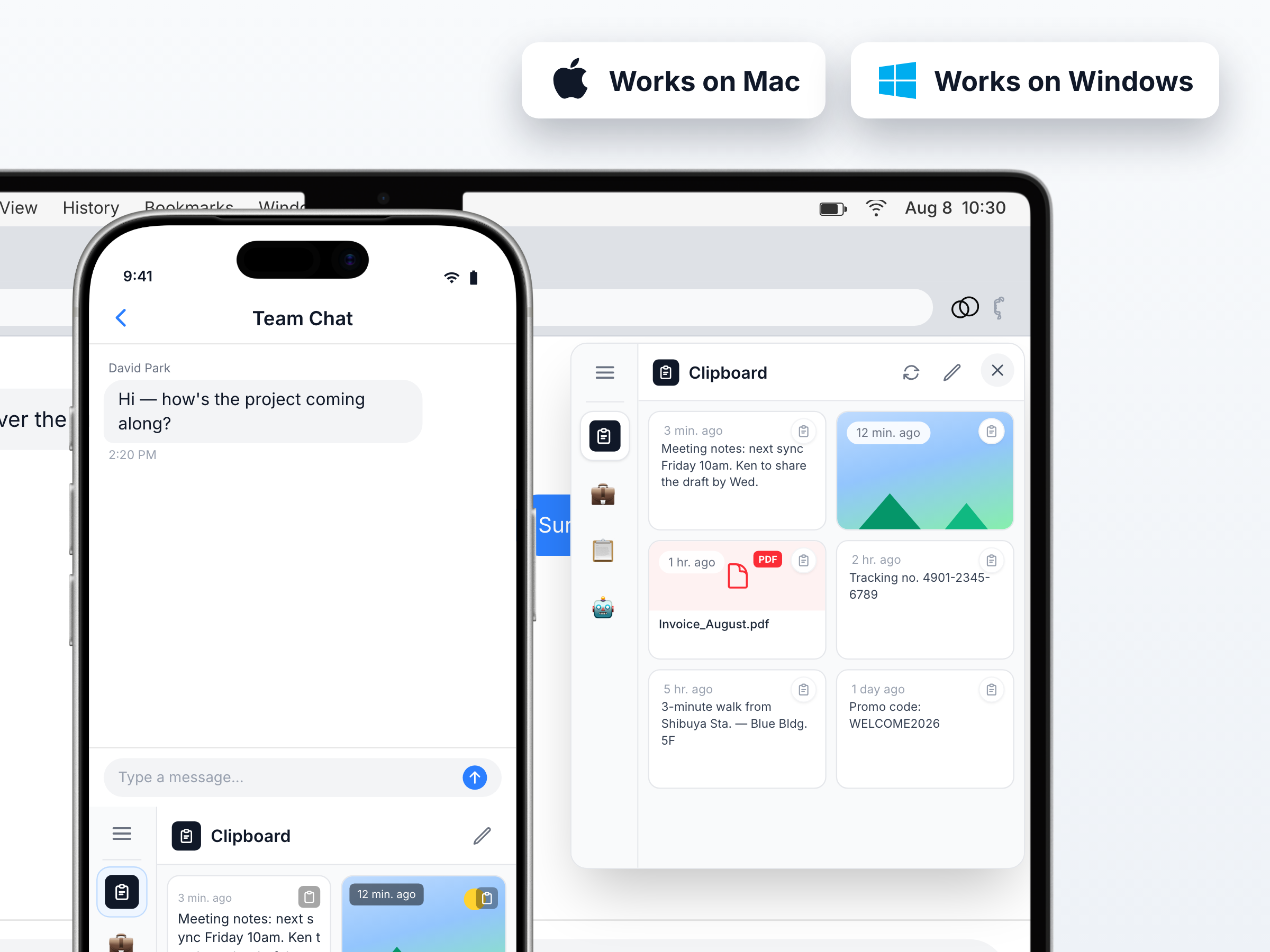
Supported platforms
Sound familiar?
Problems we solve
Answering the same questions again and again
Turn frequent replies into templates and paste them in one tap — no more writing from scratch.
Want to reuse your best prompts
Stop hunting for "that one that worked". Save it once and use it in any AI tool.
Support quality and AI usage vary across the team
Make your best writer's templates and prompts the team standard.
With PasteSync
Simple enough to start using right away
Clipboard history, synced between phone and PC
Everything you copy joins your history on every device. Copy an address on your phone, paste it on your PC.
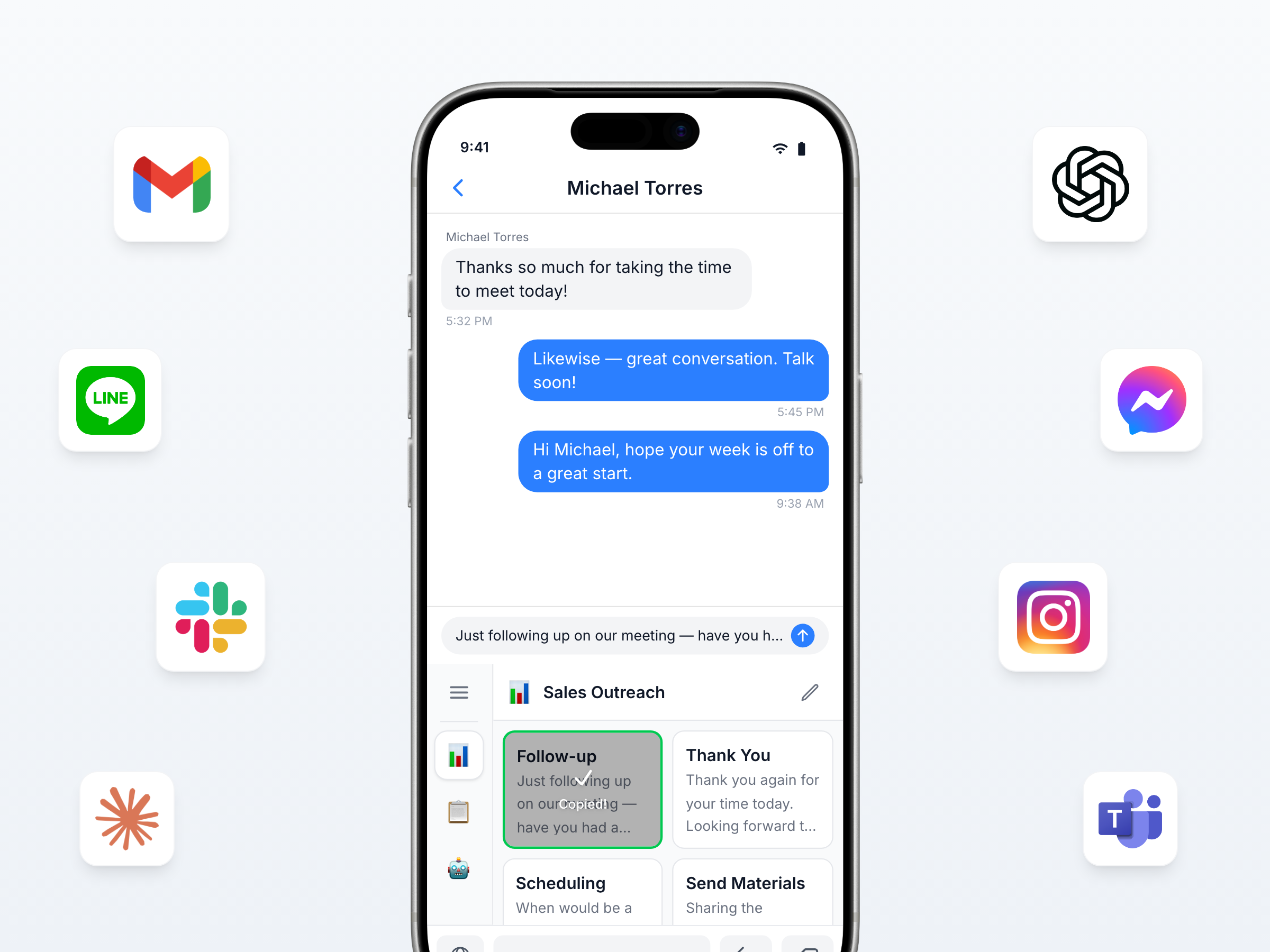
Works with any app
ChatGPT, Claude, and Gemini — plus Gmail, Slack, LINE, and more. Use it with any app.
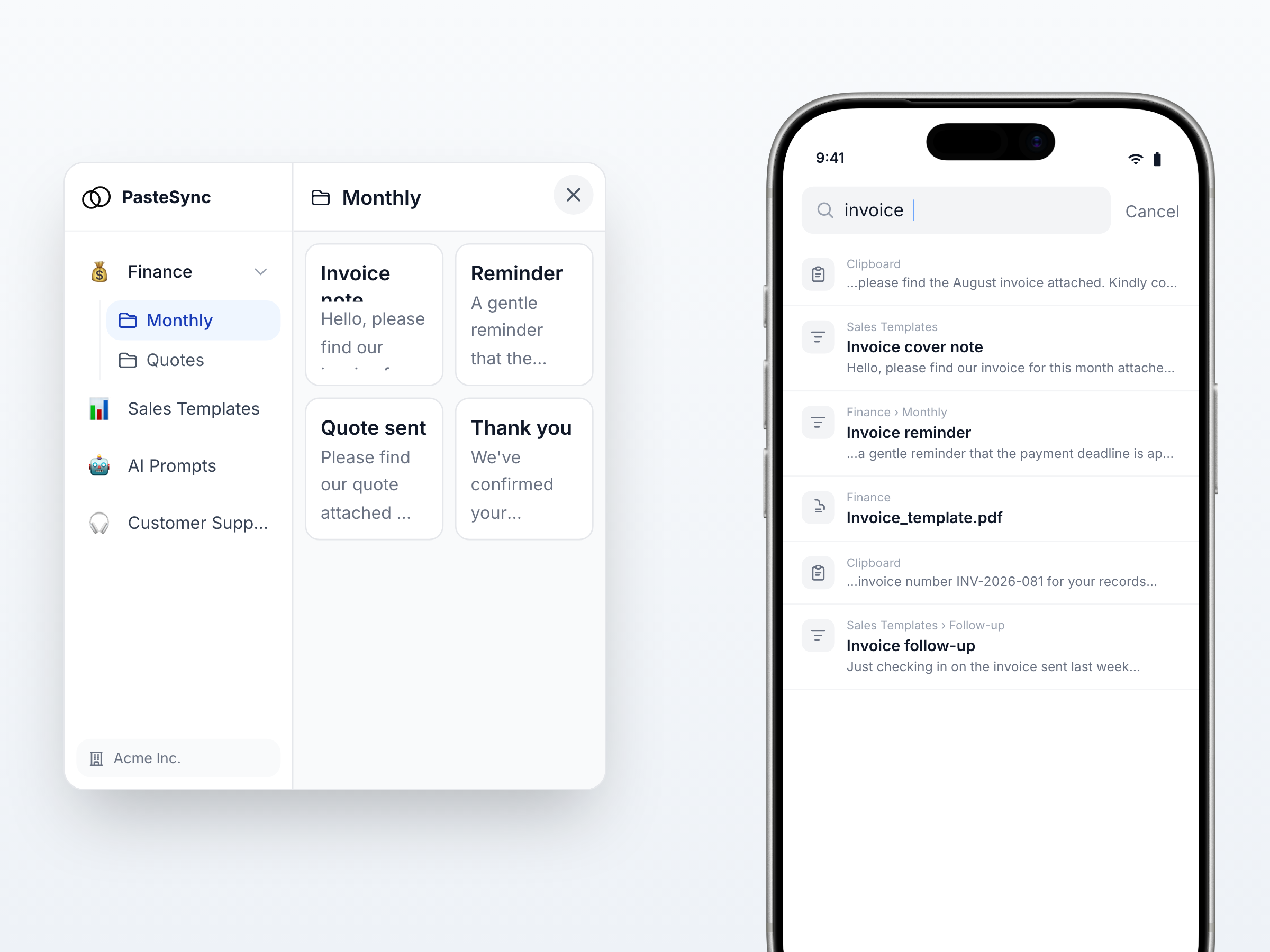
Find anything fast with folders and search
Organize with boards and folders. One search covers templates and clipboard history alike.
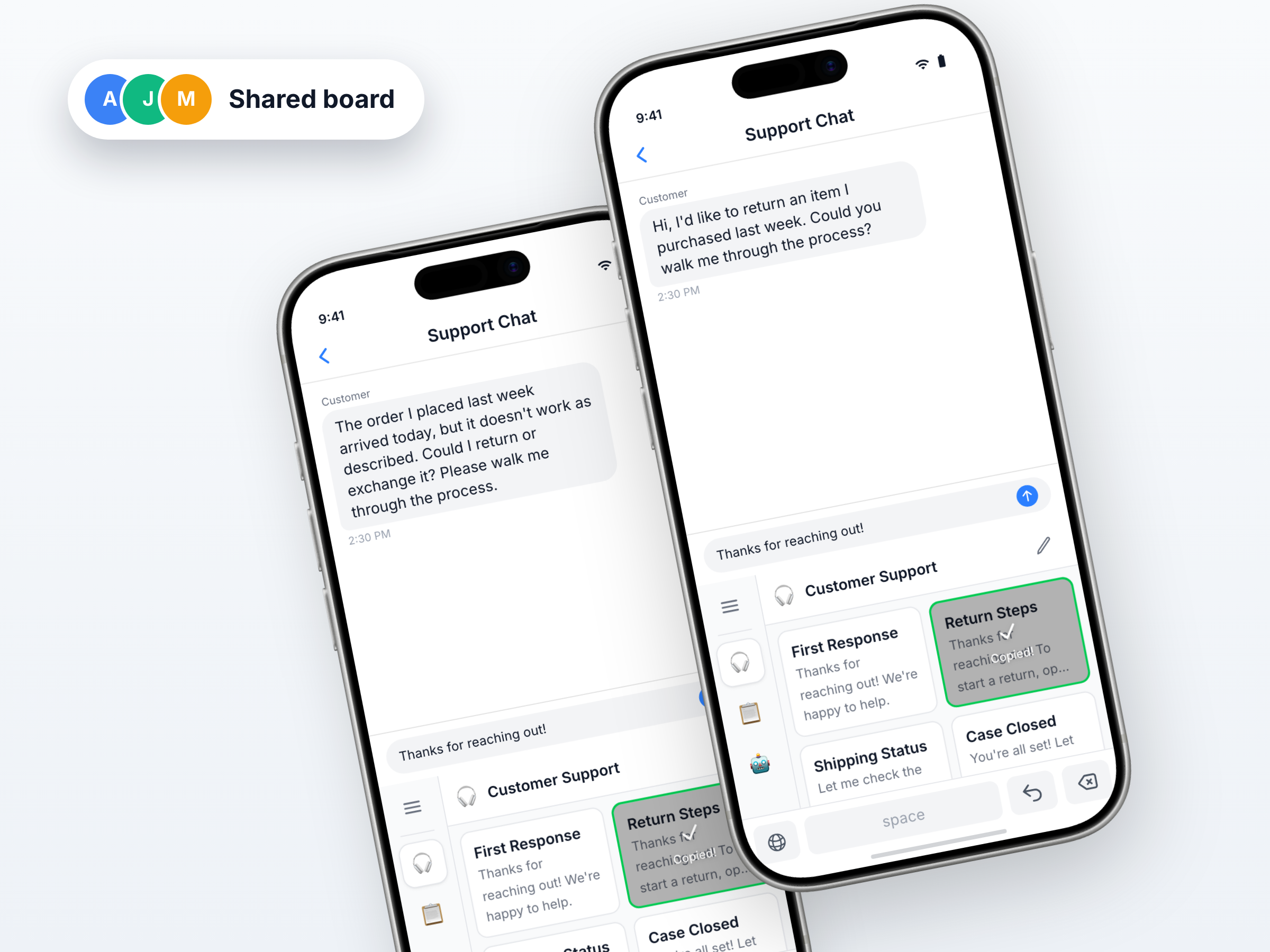
Share templates with your team
Drop them into a shared board and everyone always has the latest templates and prompts.
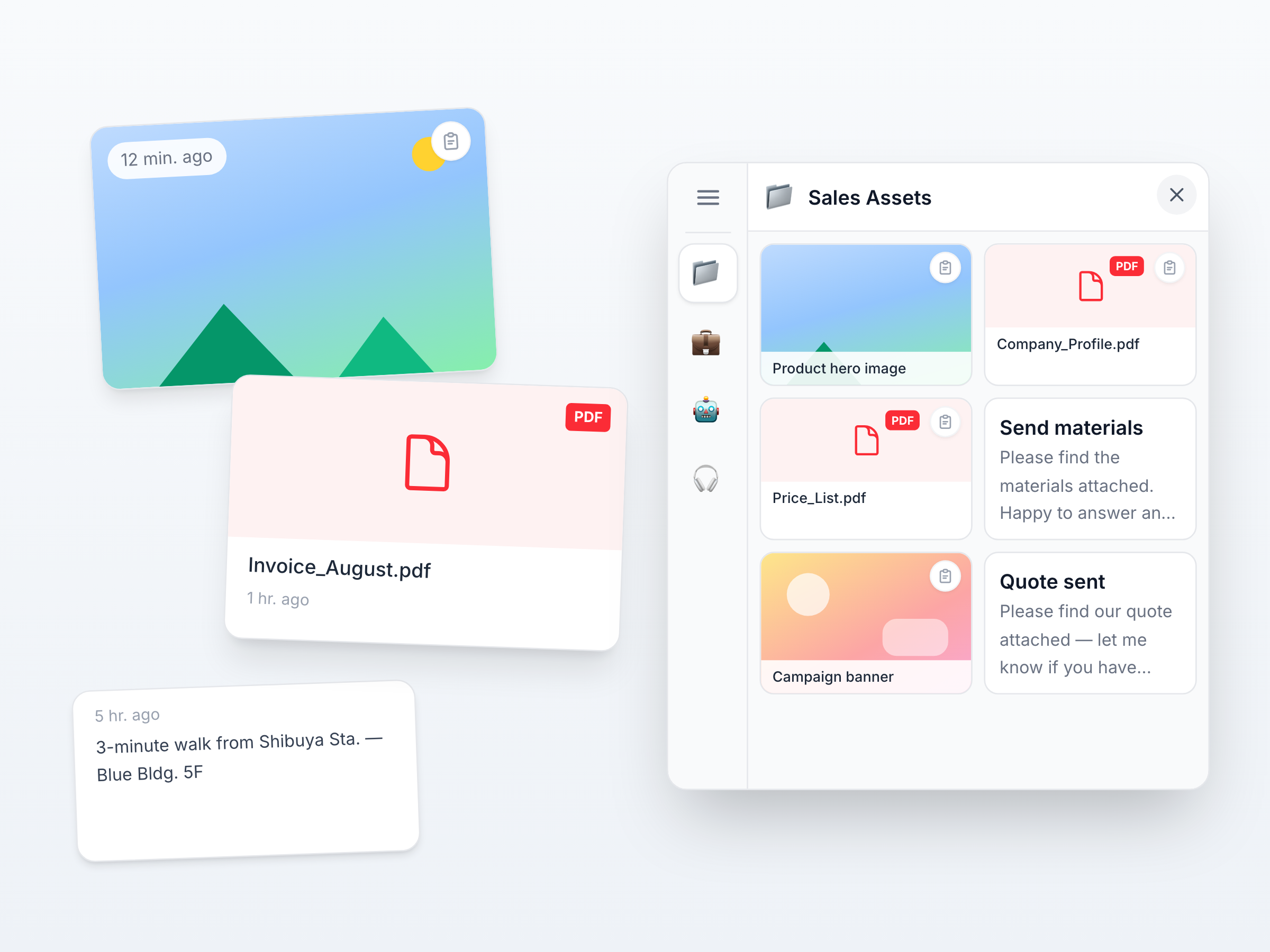
Not just text. Images and PDFs too
Send the latest version of company docs and guides without digging around.
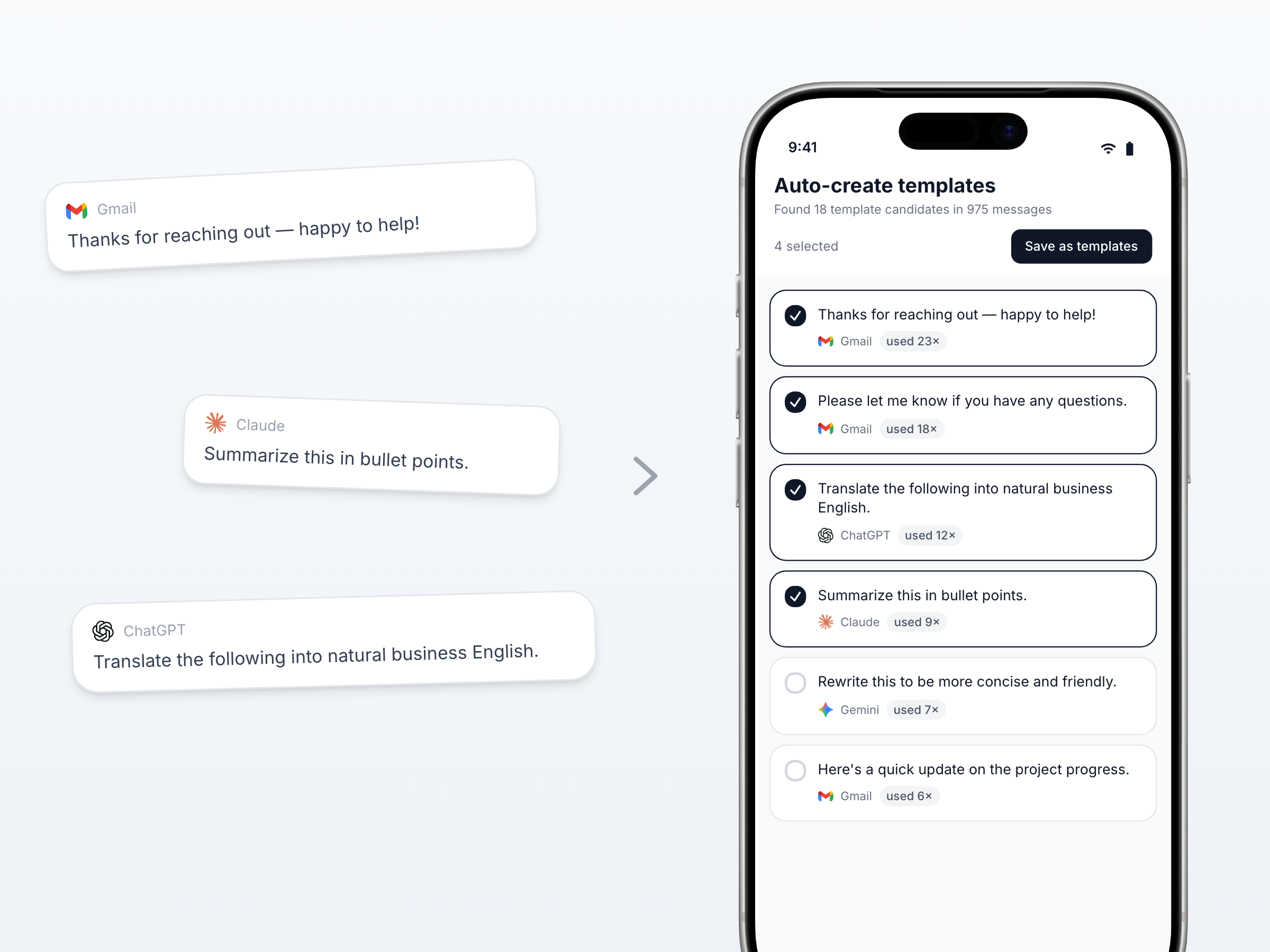
Auto-create templates from your email and chat history
PasteSync scans your Gmail and AI chat history and suggests your most-used phrases as templates.
Two ways to use it
For individuals and teams
Save time on your own
Keep your go-to templates and prompts in one place. Zero time spent searching, for replies and AI alike.
- One-tap replies in email and chat
- Instant recall in any AI tool
- Auto-sync across devices
Raise quality as a team
Share templates and prompts across the team — consistent quality and AI usage, no matter who's on.
- Share best practices
- Eliminate inconsistent responses
- Keep everyone on the latest version
Pricing
Start for free. Pro and Team come with a 7-day free trial.
$99.99/year (billed annually)
Save $19.89 per year
$199.99/year (billed annually)
Save $39.89 per year
Plan comparison
| Feature | Free | Pro | Team |
|---|---|---|---|
| Boards you create | 2 | Unlimited | Unlimited |
| Templates per board | 20 | Unlimited | Unlimited |
| Clipboard history | 10 items (kept 30 days) | Unlimited (kept 1 year) | Unlimited (kept 1 year) |
| Distribute board copies | |||
| Receive distributed copies | |||
| Redistribute copies | |||
| Edit received copies | |||
| Join shared boards | |||
| Edit shared boards | — | — | Owners/editors only |
| Shared board analytics | — | — |
Frequently asked questions
On PC, use the desktop app
Call up templates with a single shortcut from any app on Mac or Windows. Text and images paste automatically, as-is.
Download the desktop appFaster replies, built into your workflow
Start with the free plan today
(Coming soon)